AI
An agent is a tool to solve a specific task through a LLM. Every agent is assigned to a specific agent connection which is then used to handle the communication between Fusio and the LLM. This means you can create agent connections to different LLMs i.e. Ollama, ChatGPT, etc. and then use those connections in different agents.
At the agent panel you can see and manage all available agents.
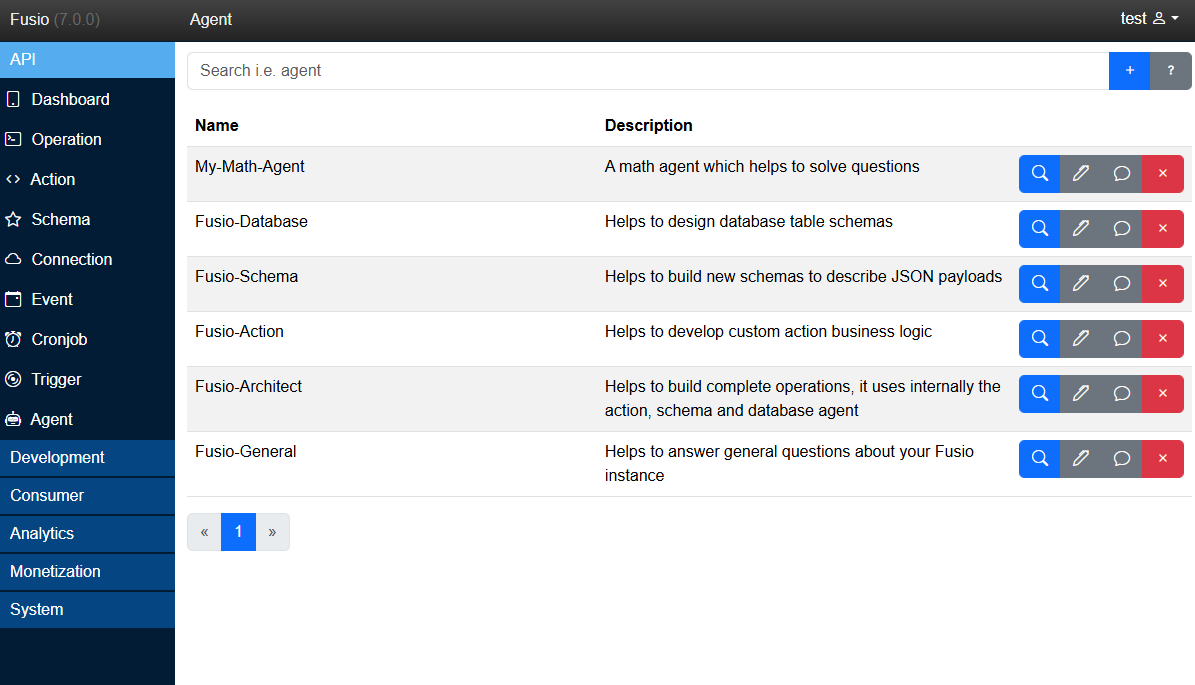
By default, Fusio installs the following Agents which help to build and manage your Fusio instance:
Custom
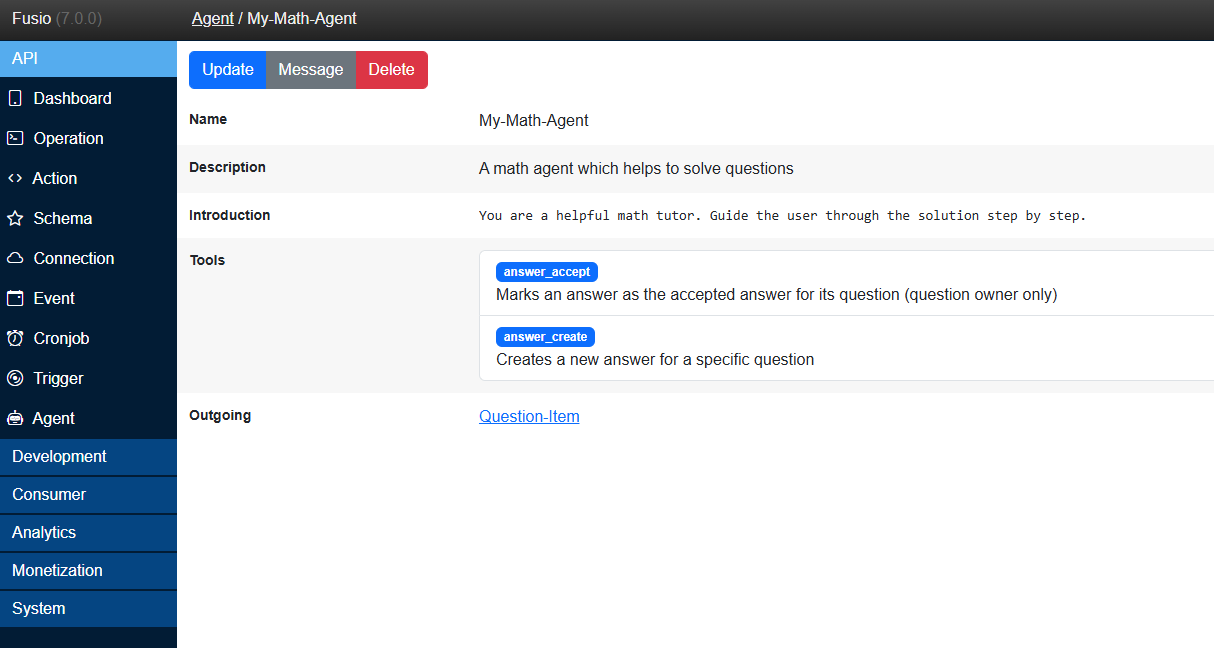
Like the Fusio internal agents you can use the same logic to build a custom Agent for your use case. In this example we have created "My-Math-Agent" which tries to solve math problems.
The main description of each agent is the "Introduction" which describes in detail what the agent is and how it should solve problems. Then you can select also all operations which an agent can access as tool, this is a very powerful way to give an Agent access to your business logic. It is also possible to describe an outgoing schema, in this case Fusio tries to use "Structured model outputs" so that the LLM produces the described JSON format. Note whether this works 100% correct also depends on the used LLM and whether the LLM is able to enforce the JSON response.
Inside Fusio you can then start to work with the agent by asking questions.
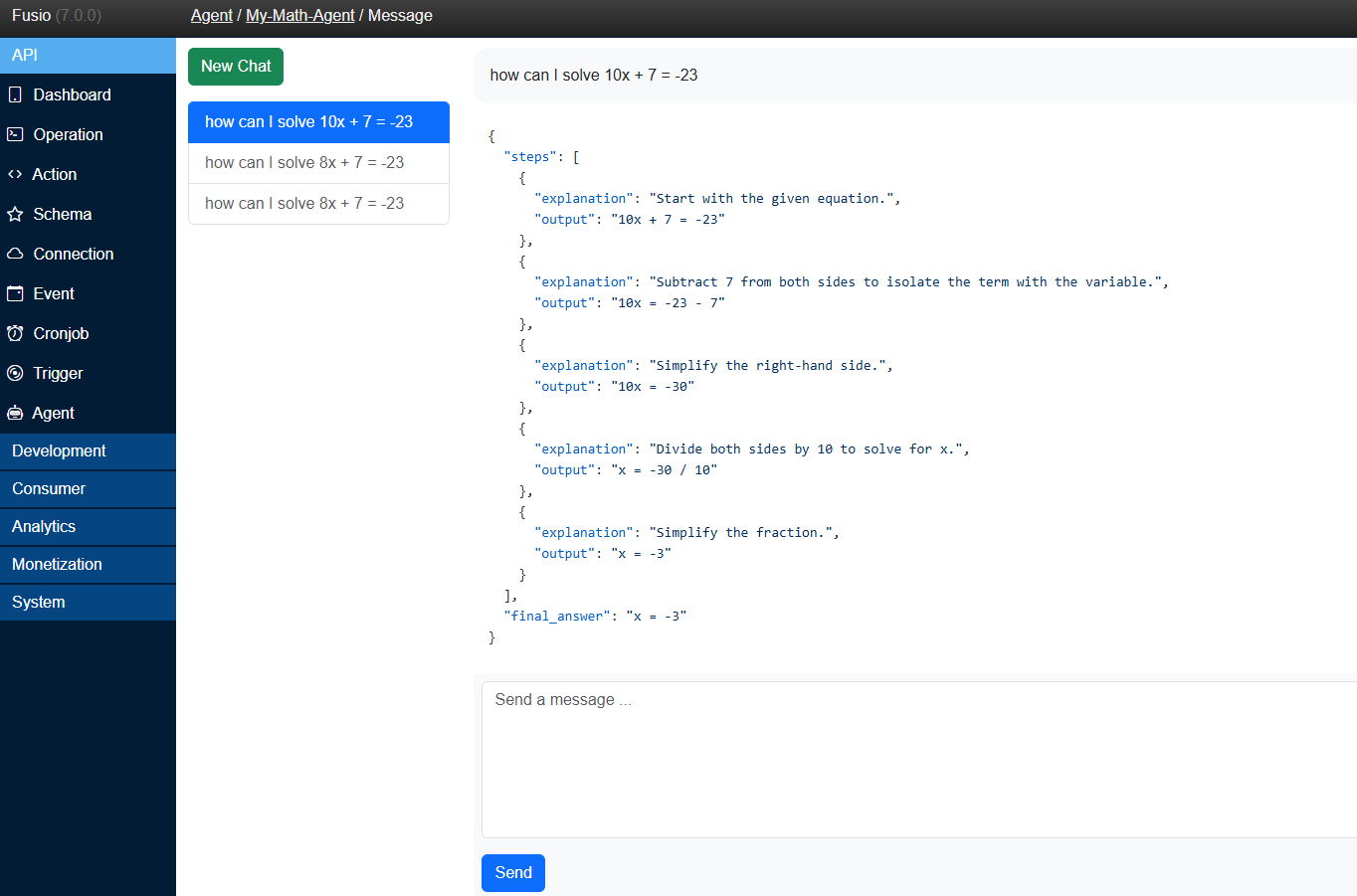
This is the internal messages dialog at the backend, but it is also possible to expose your Agent for your customers by using the Agent-Call action.