Action
An action contains the business logic of your API. It receives a request, i.e. the path parameters and the request body, and produces a response. You can think of an action like a serverless function: it does one specific task, i.e. selecting rows from a database, calling a remote API or sending a mail.
An action is independent of how it is invoked. The same action can be executed by:
- An operation, when a client calls your API endpoint
- A cronjob, at a periodical interval
- A trigger, when an event is dispatched
Three ways to build an action
Fusio offers three ways to implement your business logic. Choose the one which fits your task best:
| Approach | Code required | Best for |
|---|---|---|
| Prebuilt actions | No | Common tasks like CRUD on a database table or proxying a remote API |
| Worker actions | Yes | Custom logic written directly at the backend in PHP, JavaScript, Python or Java |
| Custom action class | Yes | Complex logic as part of your PHP code base, with tests and dependency injection |
We recommend to start with a prebuilt action and only write code if no prebuilt action solves your task.
Prebuilt actions
Fusio contains many ready-to-use actions which you configure through a form at the backend, without writing any code. The following table gives an overview, you can find all actions with their configuration at the action reference:
| Category | Actions | Example use case |
|---|---|---|
| SQL | SQL-Select-All, SQL-Select-Row, SQL-Insert, SQL-Update, SQL-Delete, SQL-Query-All, SQL-Query-Row, SQL-Builder | Build a CRUD API for a database table |
| HTTP | HTTP-Processor, HTTP-Composition, HTTP-Load-Balancer, HTTP-Raw | Proxy or combine existing APIs |
| NoSQL | MongoDB, Elasticsearch and Redis actions | Read and write documents or key-value pairs |
| File | File-Directory-Get, File-Directory-GetAll, File-Processor | Serve files from a directory |
| Messaging | AMQP-Publish, Beanstalk-Publish, SMTP-Send | Push a message to a queue or send a mail |
| GraphQL | GraphQL-Query, GraphQL-Processor | Expose a GraphQL API as REST |
| Utility | Util-Static-Response, Util-Cache, Util-Chain, Util-Condition, Util-Redirect, Util-Template, Util-Dispatch-Event | Mock responses, caching or combining actions |
| AI | Agent-Call | Let an AI agent handle a request |
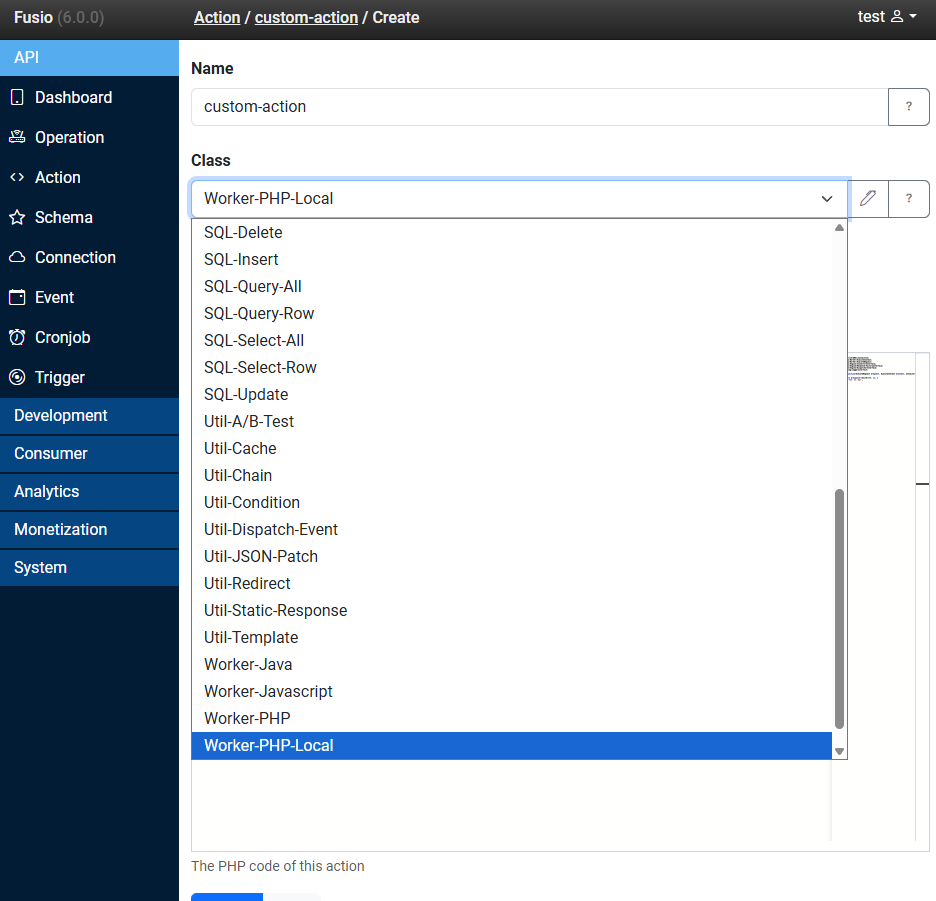
| Code | Worker-PHP-Local, Worker-PHP, Worker-JavaScript, Worker-Python, Worker-Java, PHP-Sandbox | Write your own logic, s. below |
Many actions need a connection, i.e. the SQL actions need a connection to your database. You configure the connection once and then select it at every action which needs it. Additional actions are available through adapters.
Worker actions
If no prebuilt action fits, you can write your own logic directly at the backend through a worker action. You write a single function which receives the request and returns a response, and you can use all connections which are configured at Fusio:
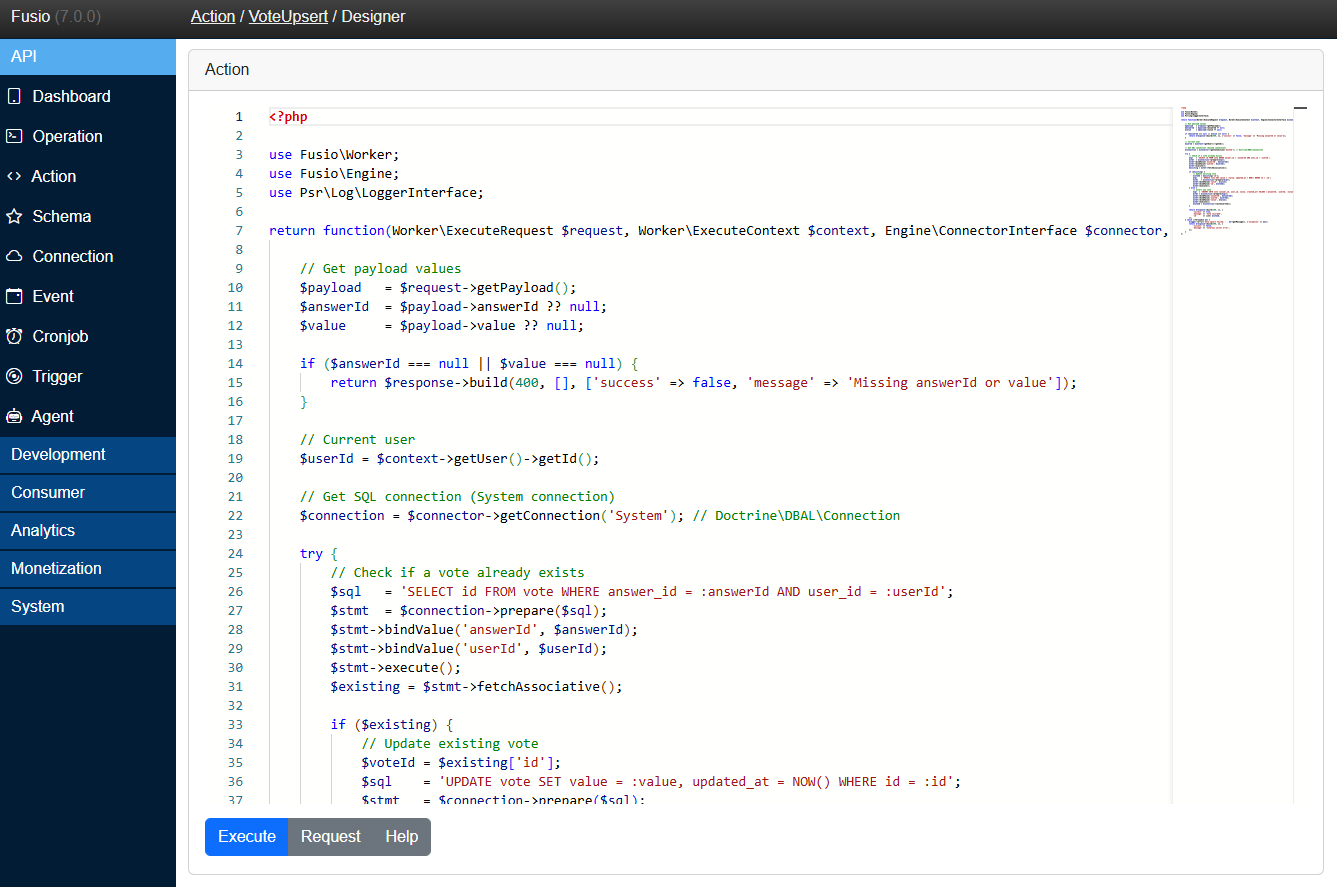
Workers are available for several languages, so your team can use the language it knows best:
- PHP: through the Worker-PHP-Local action, which runs directly on your Fusio instance and needs no setup, or the Worker-PHP action which runs on a separate worker
- JavaScript, Python and Java: through a separate worker for the language
Take a look at the Worker page to learn how to set up a worker and the Worker code page to learn how to write the code. The SQL and HTTP pages show examples for common tasks.
Custom action class
For complex business logic you can also implement an action as PHP class in your code base. This gives you all benefits of a regular PHP project, i.e. version control, unit tests and dependency injection. This approach is intended for PHP developers and is described in the Custom action guide.
Create an action
You create an action at the backend under API / Action. Every action has the following settings:
| Setting | Description |
|---|---|
| Name | A unique name, i.e. Contract-Create, which you use to select the action at an operation, cronjob or trigger |
| Class | The type of the action, i.e. SQL-Select-All or Worker-PHP-Local |
| Async | Whether the action is executed in the background, s. Async action |
| Config | The settings of the selected action type, i.e. the connection and table for a SQL action. These fields differ per type |
After you have created the action, select it at an operation to make it available as API endpoint.
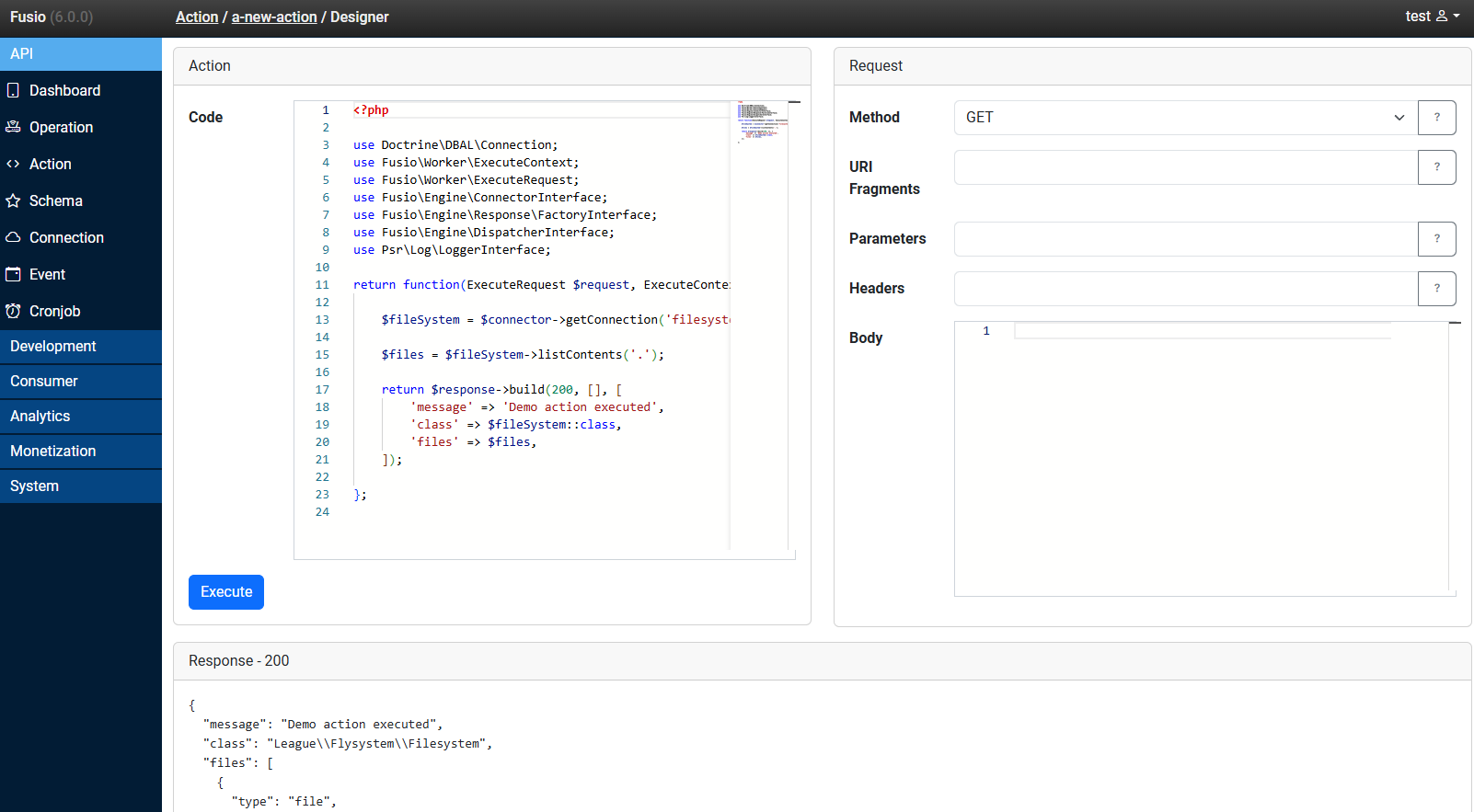
Test an action
Through the action designer you can execute an action directly at the backend, without creating an operation first. You can provide a request i.e. with parameters and a body and see the response of the action. This helps you to quickly develop and debug an action. You can open the designer through the terminal icon next to the edit button at the action list.
Topics
- Worker - Set up a worker to write actions in PHP, JavaScript, Python or Java
- Worker code - How to write a worker function in PHP, JavaScript, Python or Java
- PHP API - A complete reference of the API which is available inside a PHP worker action
- SQL - Examples to work with a database
- HTTP - Examples to call or proxy remote APIs
- Async action - Execute expensive actions in the background
- File uploads - Handle file uploads at your API