Async action
Some tasks take a long time, i.e. generating a report, processing a large file or calling a slow remote service. Instead of letting the client wait, you can execute such an action asynchronously in the background.
How it works
- The client calls the operation
- Fusio puts the request into a queue and directly returns a
202 Acceptedresponse - A background process takes the request from the queue and executes the action
Since the client receives the response before the action is executed, the client does not receive the result of the action. If the client needs to know when the task is finished, you can i.e. dispatch an event at the end of your action, so that the client receives a webhook call.
Configuration
To execute an action asynchronously, enable the Async checkbox at the action:
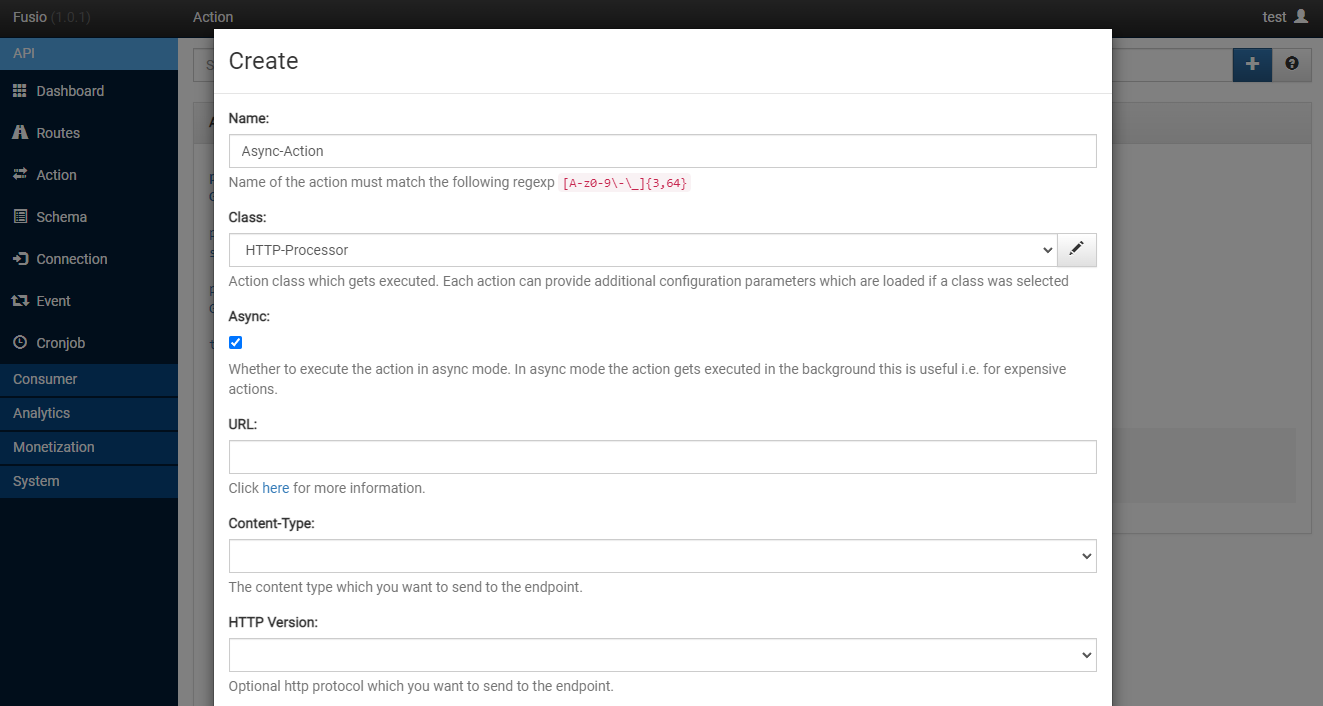
Every operation which uses this action now returns directly a 202 Accepted response.
Requirements
The queued requests are processed by the Fusio message consumer, which must run permanently in the background. If you use our Docker image, the consumer is already running. For a manual installation you need to start it i.e. through Supervisor or a systemd service, s. Set up background tasks:
php bin/fusio messenger:consume --time-limit=3600
If the consumer is not running, async requests stay in the queue and your actions are never executed.
When to use it
Use an async action for tasks where the client does not need the result directly, i.e.:
- Sending mails or notifications
- Generating reports or exports
- Importing or processing large amounts of data
- Calling slow external services
For actions which return data to the client, i.e. a GET operation, async mode is not suitable.