AI
Fusio has a built-in AI integration which is based on Symfony AI. Through this integration you can connect Fusio to a large language model (LLM) like OpenAI, Anthropic, Gemini or a self-hosted model through Ollama, and use it in two ways:
- Internally, to help you build your API: agents generate actions, schemas and database tables for you, or answer questions about your Fusio instance
- Externally, to build AI products for your customers: you design an agent which uses your API as tools and provide it to your customers, i.e. as chat at your developer portal or as API endpoint
Concepts
The AI integration is built around two concepts:
| Concept | Description |
|---|---|
| Connection | A connection to an LLM provider, i.e. OpenAI or Ollama. It contains the provider, the model and the API key |
| Agent | An assistant for a specific task. It uses a connection and is described by an introduction prompt, the tools it can use and optionally a schema for structured output |
Since agents and connections are separated, you can i.e. use a cheap and fast model for simple agents and a more powerful model for complex agents, or switch the LLM provider of all agents without changing the agents themselves.
Your API as tools
The most powerful feature of Fusio agents is that every operation of your API can be used as a tool. When you select an operation as tool, the LLM can decide to call this operation to get data or to execute an action. Through this an agent can i.e. look up the orders of a customer or create a support ticket, using the same business logic as your API.
Getting started
- Create a connection to your LLM provider
- Try one of the built-in agents, i.e. ask the General agent "show me all available operations"
- Create your own agent for your use case
- Publish your agent to your customers
Built-in agents
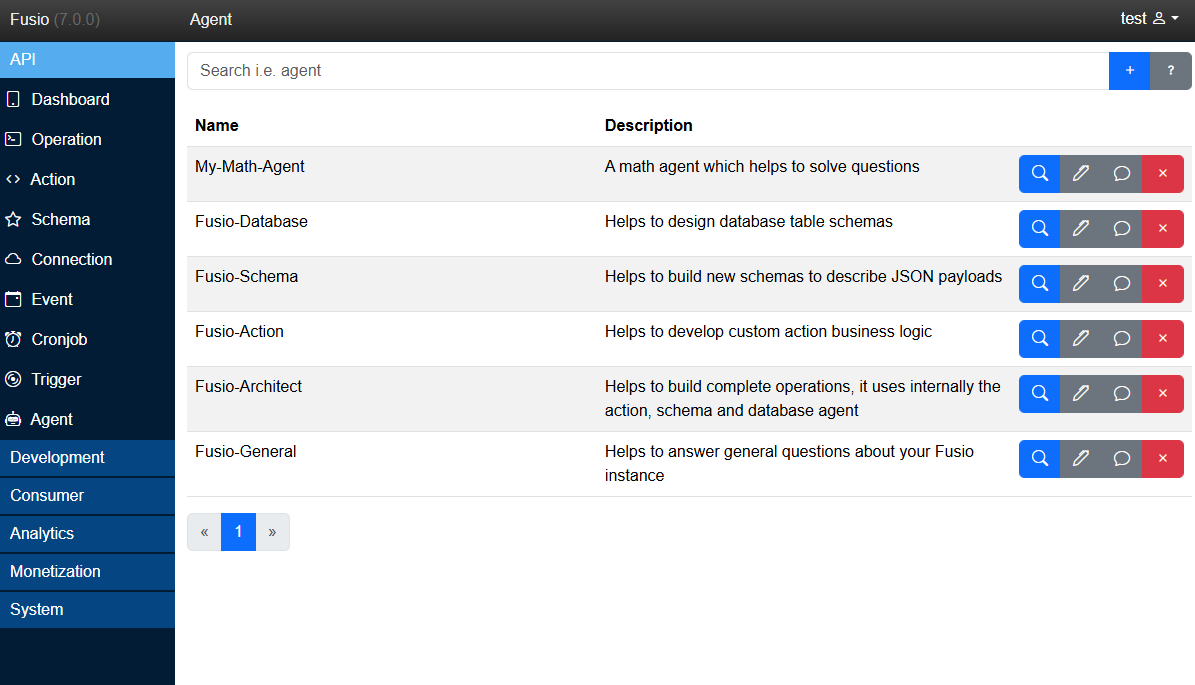
Fusio installs the following agents which help you to build and manage your API. You can find them at the backend under API / Agent:
| Agent | Description |
|---|---|
| General | Answers questions about your Fusio instance, i.e. about your operations, logs or configuration |
| Architect | Builds complete API operations, by coordinating the action, schema and database agents |
| Action | Develops the business logic of an action |
| Schema | Designs schemas to describe your request and response data |
| Database | Designs database tables including columns, types and relations |
| Seed | Fills your database tables with realistic test data or factual data |
An LLM can make mistakes. Always review the generated code, schemas and tables before you use them in production.
AI and MCP
Besides agents, Fusio also supports the Model Context Protocol (MCP). While an agent uses an LLM from within Fusio, MCP allows external AI tools like Claude or ChatGPT to use your API directly. Both features use your operations as tools, so you can decide which approach fits your use case.