Generator
Fusio contains a generator system which helps to generate operations, schemas and actions from different sources i.e. it can help to create an API from a database or import an OpenAPI specification. The following screenshot shows the generator form:
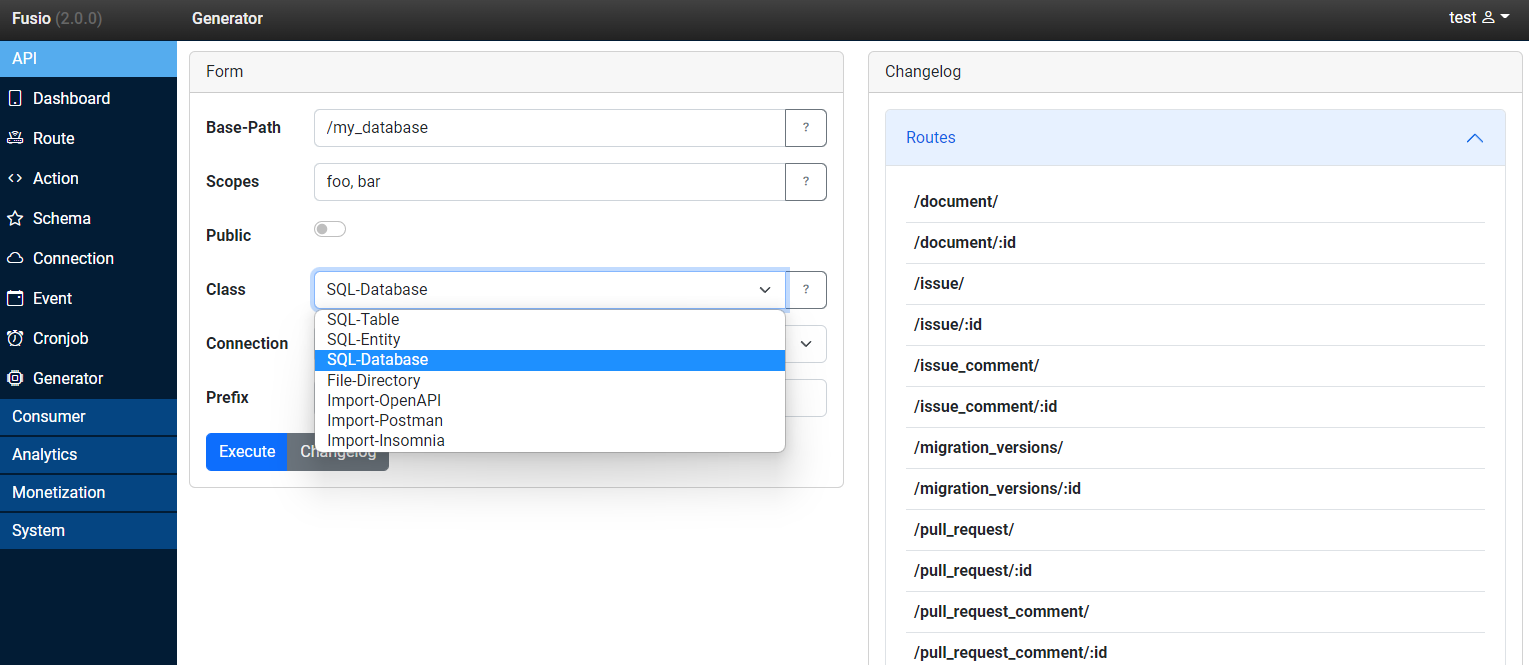
Every generator has the following fields:
Base-Path
An API Base-Path under which all resources are created i.e. /v1/my_db
Scopes
Optional a comma separated list of scopes which are assigned to the routes.
Public
Whether all routes are public or private. By default all routes are private so they can only be invoked by an authorized user.
Class
Through this dropdown field you select the actual generator implementation. Depending on the generator you will get additional configuration fields which are required for the specific generator.
Development
You can also easily develop a custom generator i.e. if you want to import resources from a different system
or specification. To build a Generator you need to create a class which implements the
Fusio\Engine\Generator\ProviderInterface interface. The following Generator creates a route
which simply outputs a static message.
<?php

namespace App;

use Fusio\Adapter\Util\Action\UtilStaticResponse;
use Fusio\Engine\Form\BuilderInterface;
use Fusio\Engine\Form\ElementFactoryInterface;
use Fusio\Engine\Generator\ProviderInterface;
use Fusio\Engine\Generator\SetupInterface;
use Fusio\Engine\ParametersInterface;
use Fusio\Model\Backend\ActionConfig;
use Fusio\Model\Backend\ActionCreate;
use Fusio\Model\Backend\OperationCreate;
use Fusio\Model\Backend\SchemaCreate;
use Fusio\Model\Backend\SchemaSource;

class MyGenerator implements ProviderInterface
{
    public function getName(): string
    {
        return 'My-Generator';
    }

    public function setup(SetupInterface $setup, ParametersInterface $configuration): void
    {
        $operationId = 'My_Message';
        $responseSchema = 'My_Schema';

        $schema = new SchemaCreate();
        $schema->setName($responseSchema);
        $schema->setSource(SchemaSource::from($this->getMySchema()));
        $setup->addSchema($schema);

        $action = new ActionCreate();
        $action->setName($operationId);
        $action->setClass(UtilStaticResponse::class);
        $action->setConfig(ActionConfig::from([
            'response' => json_encode(['hello' => $configuration->get('message')]),
        ]));
        $setup->addAction($action);

        $operation = new OperationCreate();
        $operation->setName('My_Operation');
        $operation->setDescription('Returns a hello message');
        $operation->setHttpMethod('GET');
        $operation->setHttpPath('/my/endpoint');
        $operation->setHttpCode(200);
        $operation->setOutgoing($responseSchema);
        $operation->setAction($operationId);
        $setup->addOperation($operation);
    }

    public function configure(BuilderInterface $builder, ElementFactoryInterface $elementFactory): void
    {
        $builder->add($elementFactory->newInput('message', 'Message', 'The message'));
    }

    private function getMySchema(): array
    {
        return [
            'definitions' => [
                'Message' => [
                    'type' => 'object',
                    'properties' => [
                        'hello' => [
                            'type' => 'string'
                        ]
                    ]
                ],
            ],
            '$ref' => 'Message',
        ];
    }
}
To use this generator place this class at the file src/MyGenerator.php and register the class at the
resources/container.php DI container s.
$services->set(App\MyGenerator::class);
After this you can select the provider at the backend s.
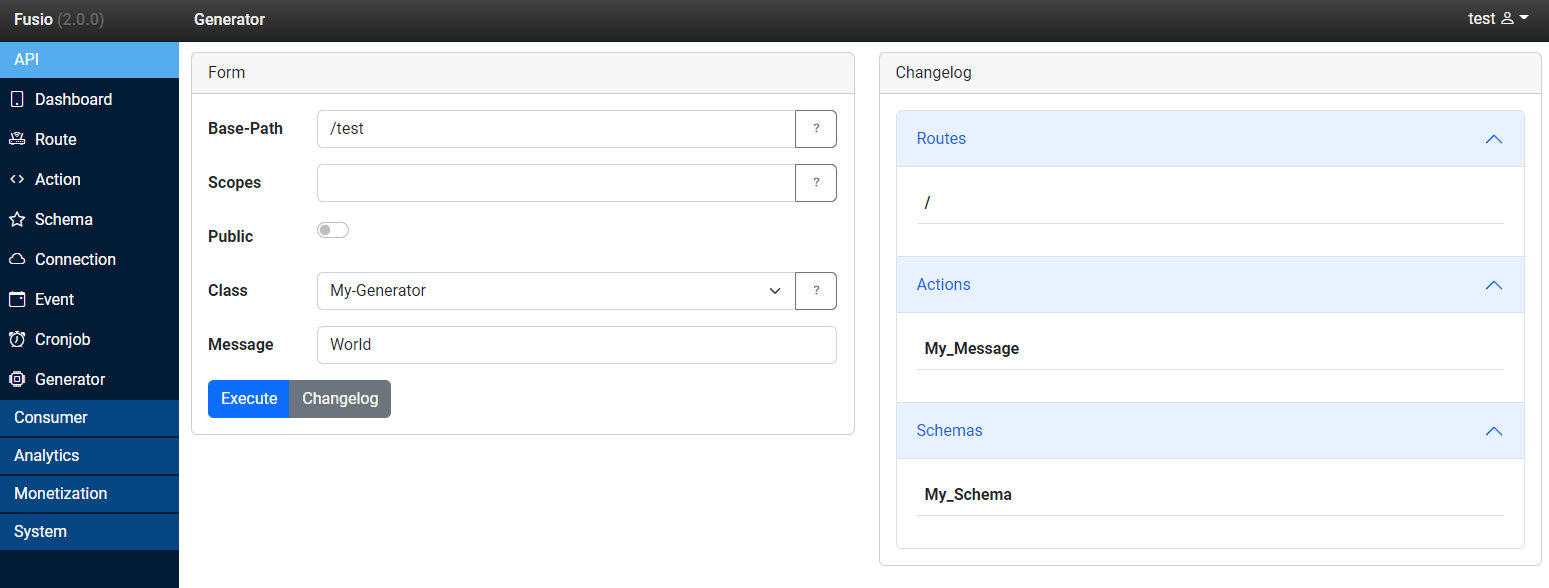
If you execute this provider you will get a simple operation which outputs the following JSON payload.
{
    "hello": "World"
}