Developer Portal
If you build an API, you also need a place where third-party developers can learn about your API, sign up and get their credentials. Building such a portal from scratch takes a lot of time, which is why Fusio provides a ready-to-use Developer Portal which you can install with a single click.
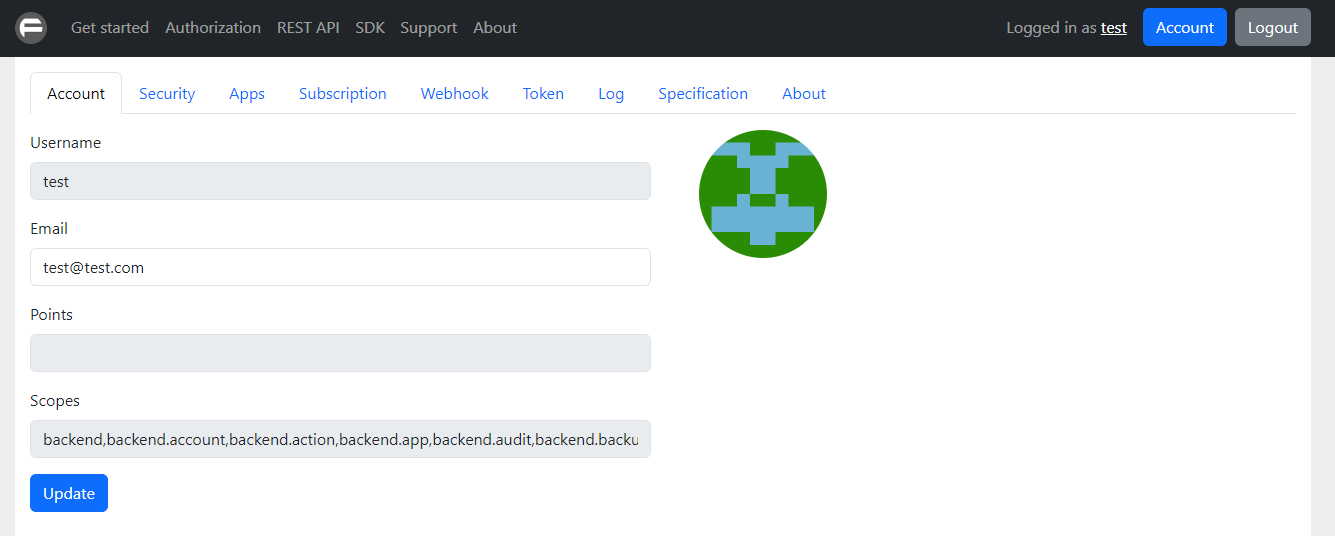
Why a developer portal?
A developer portal is the front door of your API. It answers the questions every developer has when they discover your API:
- What does this API do and how do I get started?
- How do I get access and authenticate?
- Which endpoints are available and what do they return?
- Is there an SDK for my programming language?
- Where can I get help?
With the Fusio developer portal you can answer all these questions without writing any frontend code. You only need to install the app and adjust the content to your API.
Features
The developer portal contains everything which a developer needs to start using your API:
| Feature | Description |
|---|---|
| Documentation | Pages like "Getting started", "Authorization" or "Support" which you can edit at the backend |
| Registration | Developers can sign up with name, email and password, optionally protected by a captcha |
| Login | Login with username and password or through an external identity provider like GitHub or Google |
| Password reset | Developers can reset a forgotten password through an email link |
| Apps | Developers can create apps to obtain an app key and secret for the OAuth2 flow |
| Personal access tokens | Developers can create tokens to call your API directly, i.e. for testing |
| Webhooks | Developers can subscribe to events of your API |
| Subscriptions | Developers can buy a plan if you monetize your API |
| Logs | Developers can inspect the requests which they have made against your API |
| Specification | Developers can browse the specification of your API |
How it works
The developer portal is a standalone JavaScript app which runs in the browser and talks to your Fusio instance through the Consumer API. This means all data like users, apps and tokens are stored at your Fusio instance and you can manage them at the backend app.
A typical journey of a third-party developer looks like this:
- The developer visits your portal and reads the documentation
- The developer registers an account and activates it through the confirmation mail
- After login the developer creates an app or a personal access token
- The developer uses the credentials to call your API
As API provider you control at the backend which scopes a developer can access through the assigned role, and you can rate limit or deactivate developers at any time.
Getting started
Setting up a developer portal takes only a few steps:
- Install the developer app through the marketplace
- Customize the content so that it describes your API
- Optionally configure registration settings like captcha or social login
- Share the portal URL with your developers
Pages
- Installation - How to install and configure the developer portal
- Content - How to adjust the documentation pages of the portal
- Registration - How the registration and login process works
- Account - Which features a developer can use after login
- ReDoc - An additional app to render your OpenAPI specification
Integrate into your own app
The developer portal is a starting point in case you don't have an existing portal. If you already have a website or app, you can also integrate all features of the developer portal directly into your app, since every feature is available through the Consumer API. Take a look at the Frontend section to see how this works.