Content
All documentation pages of the developer portal are managed at the backend under Consumer / Page. This means you can adjust the content to your API without changing any code or redeploying the app, every change is directly visible at the portal.
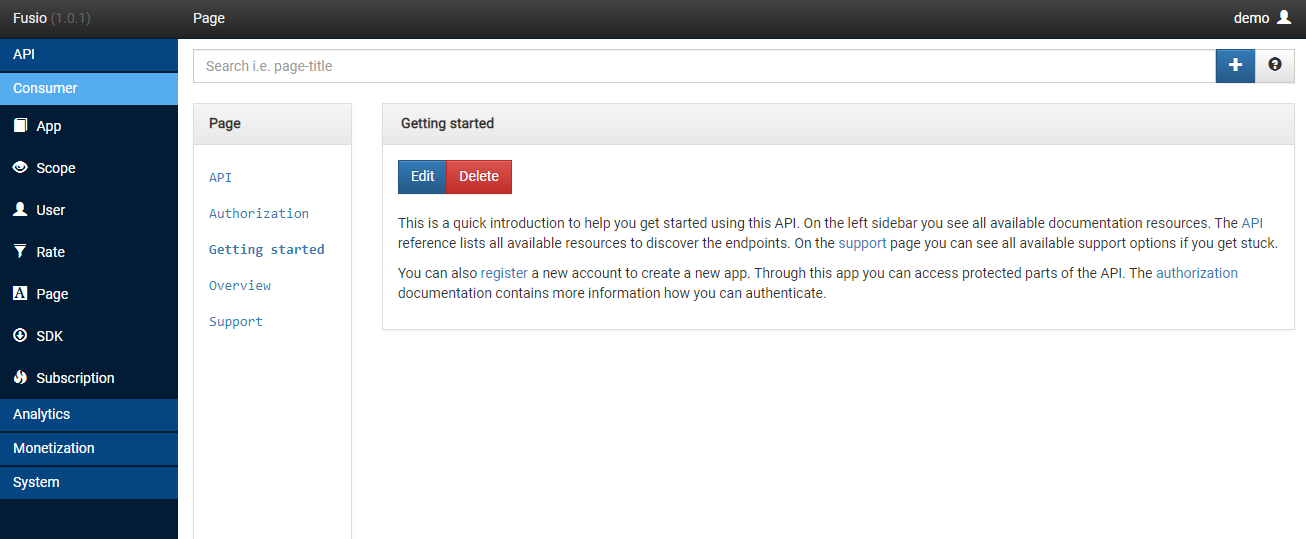
Default pages
The developer portal displays the following pages. Each page is identified by a fixed slug, which the portal uses to load the content:
| Slug | Menu entry | Description |
|---|---|---|
~overview | Home | The start page, a short introduction which explains what your API offers |
~getting-started | Get started | A step-by-step guide which explains how a developer makes the first request |
~authorization | Authorization | Explains how a developer obtains an access token to call your API |
~api | REST API | An overview of your API i.e. with links to the reference documentation |
~sdk | SDK | Information about available SDKs for your API |
~support | Support | Where developers can get help i.e. an email address or a forum |
Additionally, the "About" page shows automatically the API version, title, scopes and links of your Fusio instance.
Writing good content
The content of a page is HTML, so you can use headings, lists, tables, code examples and links. Here are some tips to create documentation which developers love:
- Start with the goal: Explain at the overview page in one or two sentences what problem your API solves
- Get developers to the first request fast: The getting started page should contain a complete example which a developer can copy and run
- Show real examples: Add request and response examples i.e. with
curl, so developers see how your API behaves - Explain authentication clearly: Most problems of new developers are related to authentication, describe the steps to obtain an access token in detail
- Tell developers where to get help: A support page with a contact option builds trust
API reference
Besides the pages you probably also want to provide a complete reference of all endpoints. For this you can
install the ReDoc app, which renders the OpenAPI specification of your API, and link to it from the
~api page. Since Fusio generates the specification automatically, the reference is always up-to-date.