Installation
The developer portal is distributed as an app through the Marketplace. You can install it either through the backend app or through the CLI.
Backend
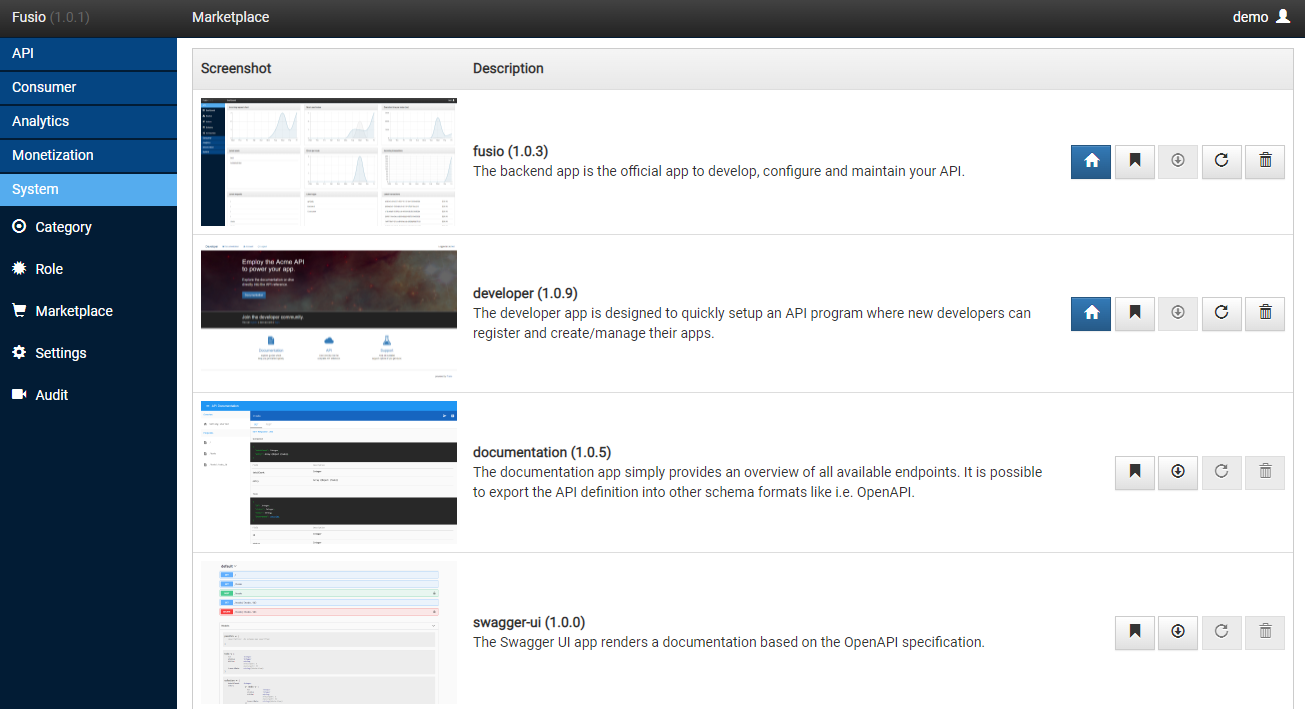
Login to the backend app and go to the marketplace. There you can find the developer app and install it with a click on the install button.
CLI
Alternatively you can install the app through the following command:
php bin/fusio marketplace:install app developer
To update the app later on to the latest version you can use:
php bin/fusio marketplace:update app developer
Access
After the installation the developer portal is available under the /apps/developer/ path of your
Fusio instance, i.e. https://api.acme.com/apps/developer/. This is the URL which you share with your
developers. You can also take a look at our demo instance
to see how the portal looks.
Configuration
The app contains the following variables which are filled with the values of your Fusio instance during the installation:
| Variable | Description |
|---|---|
API_URL | The base URL of your Fusio instance |
APP_KEY | The app key of the developer app which is used i.e. for social login |
Settings
At the backend under System / Config you can adjust the following settings which affect the developer portal:
| Parameter | Description |
|---|---|
mail_register_subject | Subject of the registration mail |
mail_register_body | Body of the registration mail |
mail_pw_reset_subject | Subject of the password reset mail |
mail_pw_reset_body | Body of the password reset mail |
role_default | The default role which every new user receives |
points_default | The amount of points every new registered user receives |
The role_default setting is especially important since the role determines which scopes and therefore
which parts of your API a new developer can access.
Custom design
The developer portal is an open source Angular app. If you want to adjust the design to your corporate identity, you can fork the repository, change the styles and deploy the build to your server. We also offer a consulting service in case you need help to customize the portal.