Invoke private operation
By default every operation is private unless you explicit mark it as public. In order to access a private operation a user needs to provide an access token.
Assign scope to user
Before obtaining an access token it is important that scopes are assigned to the user. The scopes which are assigned to the user depended on the role of the user. If you create a new role you can select the scopes s.
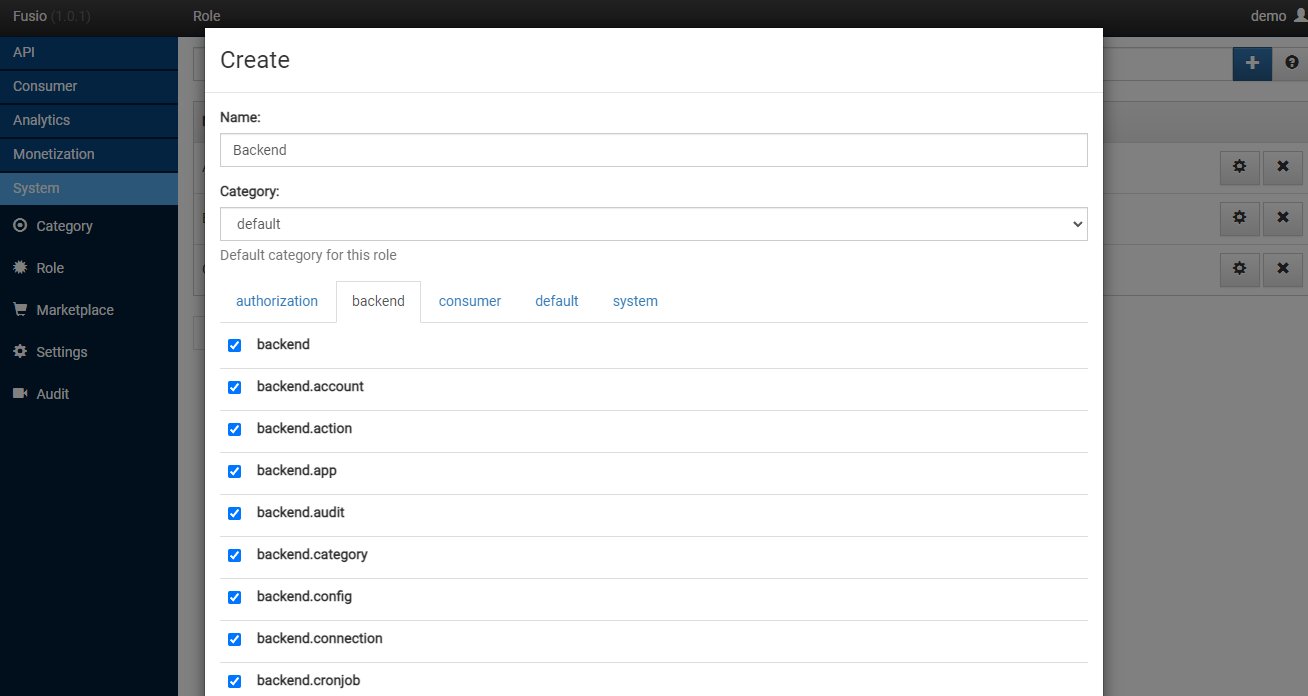
At the system setting you can also configure a default role, this role gets then assigned to every new user which
registers at the developer portal, by default this is the Consumer role.
Obtain access token
Basic
The most basic way to obtain an access token is to use your personal credentials i.e.
Request
POST /consumer/login
Content-Type: application/json

{
  "username": "[username]",
  "password": "[password]",
}
Response
{
  "token": "",
  "expires_in": "",
  "refresh_token": ""
}
OAuth2
It is also possible to use our OAuth2 authorization endpoint. For more detail information take a look at the authorization page.
Invoke a protected endpoint
If we have obtained an access token we can now invoke a protected endpoint. Therefor we only need to add the
Authorization header to a request containing he access token as Bearer token.
POST /protected_endpoint HTTP/1.1
Authorization: Bearer eyJ0eXAiOiJKV1QiLCJhbGciOiJIUzI1NiJ9.eyJzdWIiOiI5N2JkNDUzYjdlMDZlOWFlMDQxNi00YmY2MWFiYjg4MDJjZmRmOWZmN2UyNDg4OTNmNzYyYmU5Njc5MGUzYTk4NDQ3MDEtYjNkYTk1MDYyNCIsImlhdCI6MTQ5MTE2NzIzNiwiZXhwIjoxNDkxMTcwODM2LCJuYW1lIjoidGVzdCJ9.T49Af5wnPIFYbPer3rOn-KV5PcN0FLcBVykUMCIAuwI
Content-Type: application/json

{
  "title": "lorem ipsum"
}